SolidCraft vs FreeCAD vs Autodesk Fusion 360 at a Glance
Choosing a parametric 3D CAD tool in 2026 comes down to three practical trade-offs: how quickly you can sketch and iterate, whether you want native AI / MCP automation, and how much traditional manufacturing depth (CAM, assemblies, 2D drawings) your projects demand.
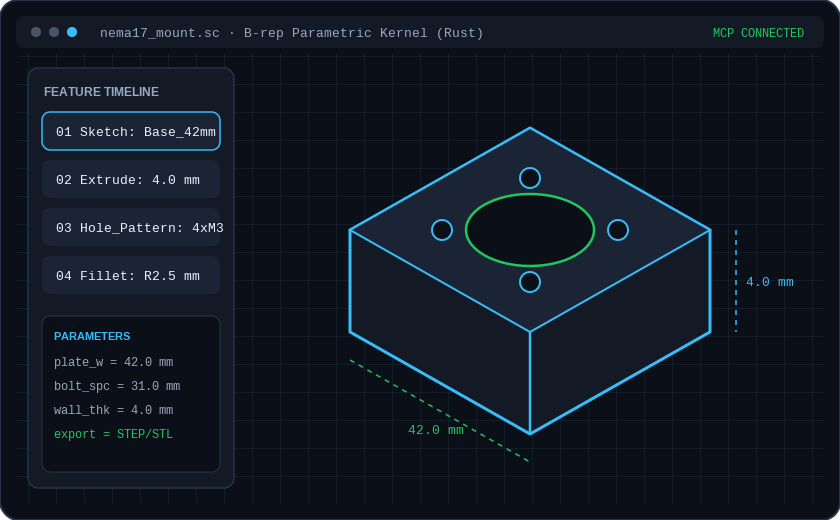
| Feature | SolidCraft | FreeCAD | Autodesk Fusion 360 |
|---|---|---|---|
| License & Pricing | Open-source, free (GitHub) | Open-source (LGPL), free (freecad.org) | Proprietary; free limited personal tier / paid commercial subscription |
| Core Geometry Kernel | Pure Rust B-rep parametric kernel | C++ / Python modular core (OpenCASCADE) | Proprietary cloud-connected CAD/CAM kernel |
| Browser / Web Version | Native WebAssembly app (solidcraft.io/app) | Desktop only | Desktop primary + limited web viewer |
| AI / MCP Automation | First-party built-in MCP server (solidcraft-cli mcp) |
Community bridges (neka-nat/freecad-mcp, Robust MCP Bridge) |
Community connectors (fusion-mcp) & API scripts |
| File Storage & Lock-In | Local .sc / .solidcraft, STEP, 3MF, STL |
Local .FCStd, STEP, STL, broad formats |
Cloud-first storage (free tier caps active editable docs) |
| Learning Curve | Low — familiar Fusion-style timeline & constraints | Moderate to steep — workbench-switching paradigm | Low to moderate — polished UI, extensive feature depth |
| CAM, Sheet Metal & Drawings | Early-stage; core parametric modeling focus | Mature TechDraw, Path CAM, SheetMetal & FEM workbenches | Industry-leading multi-axis CNC CAM, simulation & sheet metal |
| Best Fit | 3D-printing makers, Rust devs, Claude/Codex MCP users | Offline open-source engineers needing full CAD/CAM depth | Commercial machine shops, CNC CAM & cloud design teams |
Where SolidCraft Wins Over FreeCAD
- Modern Timeline UX & Startup Speed: Even after recent FreeCAD 1.x improvements, newcomers still frequently bump into FreeCAD's workbench-switching model (Part Design vs Sketcher vs Draft vs TechDraw). SolidCraft adopts the streamlined sketch-and-timeline flow that Fusion 360 users already love, compiled into a tiny, instant-start Rust binary.
- First-Party Claude, Codex & Cursor MCP Integration: Because
solidcraft-cli mcpis maintained inside the core repository rather than bolted on as a community RPC bridge, setting up SolidCraft MCP automation takes under two minutes and supports both headless scripting and live viewport bridging (see our SolidCraft CLI & Prompt Builder). If you still prefer automating FreeCAD, check our FreeCAD MCP Setup Guide. - Zero-Install Browser Access: Need to adjust a mounting bracket on a school laptop, tablet keyboard setup, or work computer without admin rights? SolidCraft opens directly in a browser tab via WebAssembly with local STEP/3MF/STL export.
Real Community Debates: Where FreeCAD & Fusion 360 Still Win
If you have read threads on r/Fusion360 or r/FreeCAD, you have seen both excitement and blunt criticism of SolidCraft's current maturity. Being transparent about current gaps saves hours of frustration:
- Choose FreeCAD when you need battle-tested 2D engineering drawings (TechDraw), multi-part constrained assemblies, sheet-metal bending tables, finite-element analysis (FEM), or built-in CNC CAM toolpaths in a 100% open-source offline package backed by two decades of tutorials.
- Choose Autodesk Fusion 360 when you run a commercial CNC shop, require multi-axis milling/turning toolpaths, generative design, integrated PCB electronics, or multi-engineer cloud version review—and you are comfortable paying for commercial licensing or living within Autodesk's Personal-Use tier restrictions.
- Choose SolidCraft when your primary goal is fast parametric single-part modeling for 3D printing, local-first open-source ownership without cloud restrictions, or AI-assisted CAD generation with Claude Code, OpenAI Codex CLI, and Cursor.
Which CAD Tool Fits Your Profile? (Quick Decision Guide)
- 3D-Printing Hobbyist Leaving Fusion 360's Free Tier: Start with SolidCraft for daily brackets, enclosures, and organizers—keep FreeCAD installed as a backup for rare multi-part assemblies or 2D drawings.
- Software Engineer or Hardware Prototyper Using Claude / Codex: SolidCraft is the clear standout because native
solidcraft-cli mcpturns parametric CAD into a fast, scriptable, Git-friendly workflow without brittle third-party bridges. - CNC Machinist or Commercial Product Team: Stay with Autodesk Fusion 360 (or pair FreeCAD with dedicated CAM software) until native CAM toolpaths and full multi-body assemblies mature further in SolidCraft.
- Linux, FreeBSD, or Chromebook User: SolidCraft gives you both lightweight native Rust binaries and an instant WebAssembly browser editor (
solidcraft.io/app), whereas Fusion 360 has no native Linux desktop client.
Deep Dive: 3D Printing, File Interchange & Feature Maturity
For hobbyist and functional 3D printing—motor brackets, electronics cases, Gridfinity bins, sensor mounts, and mechanical adapters—SolidCraft already covers the core 80% of daily parametric operations cleanly:
- Exact Curves Over Mesh Hacks: Unlike Tinkercad or mesh-sculpting apps, SolidCraft exports true STEP and 3MF solids that modern slicers (OrcaSlicer, Bambu Studio, PrusaSlicer) slice with smooth circular perimeters instead of faceted polygons.
- Clean STEP Interchange Between Tools: You do not have to commit exclusively to one CAD app. Many makers sketch rapid prototypes or AI-scaffolded enclosures in SolidCraft, export a
.stepfile, and drop that solid into FreeCAD or Fusion 360 whenever a project later requires CNC toolpaths or multi-part assembly drawings. - Zero Cloud Expiry or Document Limits: Your
.scproject files sit directly in your local folder or Git repository—no forced logins, no cloud outages, and no 10-document active-file cap.
Quick Migration Checklist (Coming From Fusion 360 or FreeCAD)
- Test Your Next Small Part First: Start with a real 3D-printable bracket or enclosure rather than trying to migrate a 100-part assembly on day one.
- Archive Legacy Parts as STEP: Export active reference geometry from Fusion 360 or FreeCAD as
.stepso critical mating dimensions stay portable across every CAD tool. - Keep Your Modeling Workflow Consistent: Name key dimensions (
wall,clearance,hole_pitch) from the beginning, and save fillets/chamfers for the final timeline steps—just as you would in Fusion 360 or FreeCAD Part Design.
Ready to test SolidCraft on your own machine? Follow our official SolidCraft install guide, wire up Claude & Codex MCP automation, explore FreeCAD MCP, or build your first parametric part in our 10-Minute Beginner Tutorial.